
Get Job
Check a Launch Fast research job and get its result when it is done, or list your last 10 jobs.
| Field | Value |
|---|---|
| MCP tool | get_ |
| Behavior | Read-only |
| Cost | Free and instant |
| Permission | Research and insights (Launch Fast tools) |
| Amazon connection | Not necessary |
| App view | ui://launchfast/v2/job |
What It Does
The research_market, research_product, research_keywords, and research_suppliers tools wait up to 40 seconds. If the work is not done, their answer gives a job id. get_job checks that job.
- When the job is done,
get_jobreturns the result. The result is the same answer that the matching read tool gives. - When the job is not done, it shows how long the job ran and how long such a job takes as usual.
- With no job id, it lists your last 10 jobs, newest first.
get_job gives the current status immediately. It does not wait. The assistant tells you how long the job takes, and checks again in a later turn. In apps that show Launch Fast cards, the job card checks the job on its own while it runs and updates when it finishes.
When To Use It
Use get_job only for research that answered with a job id. Catalog reads such as find_markets and get_market answer immediately and give no job.
You can see only the jobs that you started or joined.
Inputs
| Input | Required | Values | Example |
|---|---|---|---|
job | No | The job id from the research answer. Leave it out to list your jobs. | op-kq3x7mvfcd2s4nt6ye5hb7wpra |
What The Answer Contains
| Status | Contents |
|---|---|
running | The job kind and subject, the time so far, the usual time, and when to check again. A keyword research adds how many products are read. |
completed | The job details and the full result, for example the market brief. |
failed | A plain reason and the call to try again. |
cancelled | A newer run replaced the job. The answer shows the newest data. |
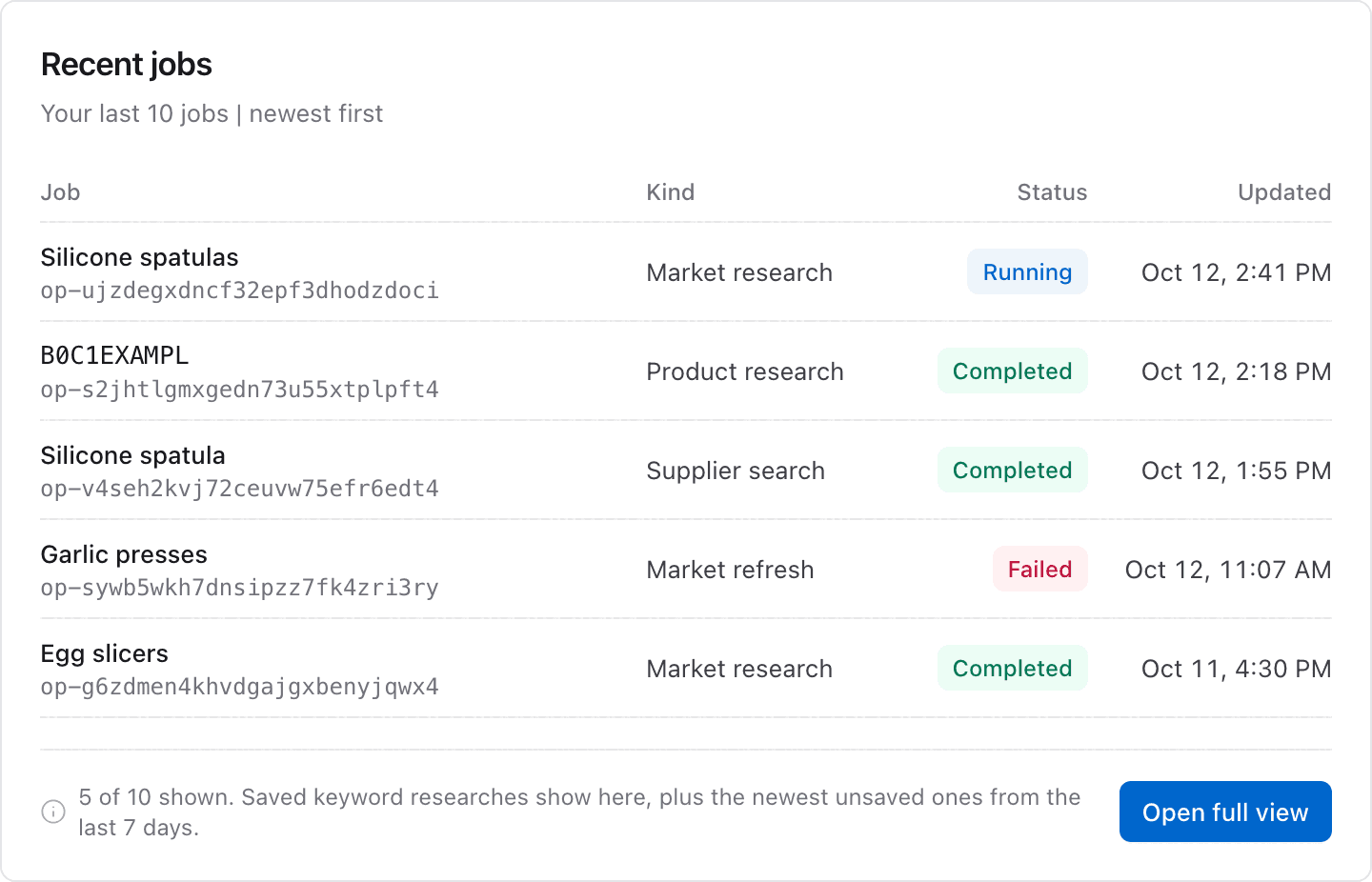
The job list has one row for each job: job id, kind, subject, status, and the time of the last update. It holds the research jobs that you started, your saved keyword researches, and your newest 3 unsaved keyword researches from the last 7 days. If the unsaved researches cannot be read, they are left out and the list still answers. Jobs that you only joined do not show in the list, but they answer by their id.
Usual Job Times
| Research | Usual time |
|---|---|
| New market | 4 to 9 minutes |
| Market refresh | A few minutes |
| Product | Less than one minute |
| Keywords | 1 to 3 minutes |
| Suppliers | Less than one minute |
App View
When your AI app supports MCP Apps, it shows the answer in this view. The image shows example data.
Example Prompts
Is my silicone spatula market research done yet?Show my recent Launch Fast research jobs.Common Errors
| Error | What it means | What to do |
|---|---|---|
not_ | The job id is not correct, or the job is not yours. | Call get_ with no job id to list your jobs. |
Job failed | The job stopped before it finished. | Call the same research tool again to try again. |
plan_ | Your plan does not include keyword research, so a keyword research job does not open. | Check your plan on the usage page. |
Related Tools
research_market,research_product,research_keywords, andresearch_suppliersstart the jobs.