
Supplier Research
Keep your supplier sourcing workflow in one workspace. Find verified manufacturers. Manage supplier relationships. Track sample quality without separate spreadsheets and email threads.
Overview
Use Supplier Research to:
- Discover verified suppliers for your target products with ratings, pricing, and operational history
- Manage supplier relationships through a visual pipeline from initial contact to active partnership
- Track sample requests, quality evaluations, and costs to make informed sourcing decisions
- Export search results as CSV files for external analysis or team sharing
How to Use Supplier Research
Access Supplier Research
Click "Supplier Research" in the left sidebar to open the sourcing workspace. You will see three tabs at the top:
- Search & Discovery
- Supplier Manager
- Sample Tracker
Search for Suppliers
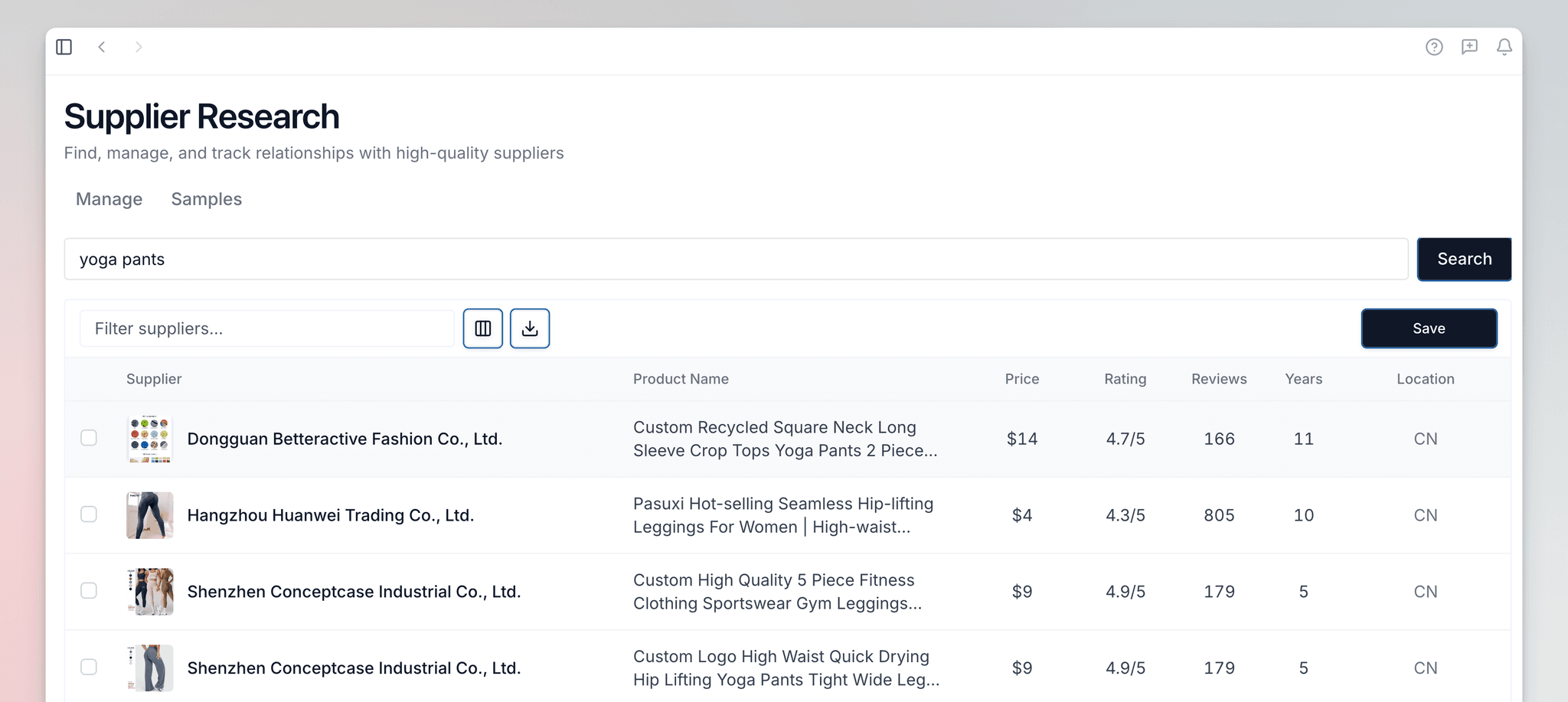
Start in the Search & Discovery tab. Enter your product search term and click "Find Suppliers" to retrieve up to 20 verified manufacturers that match your criteria.
Save and Organize
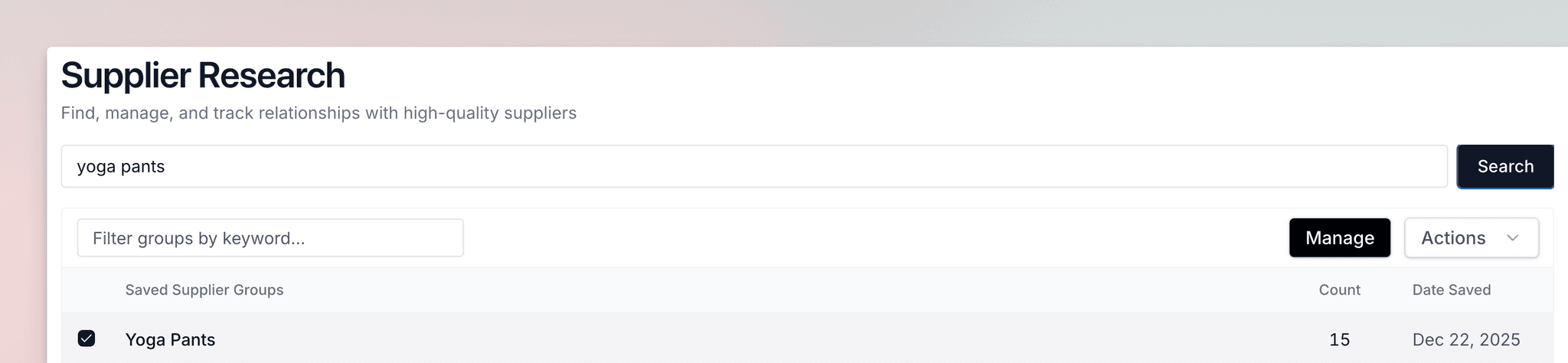
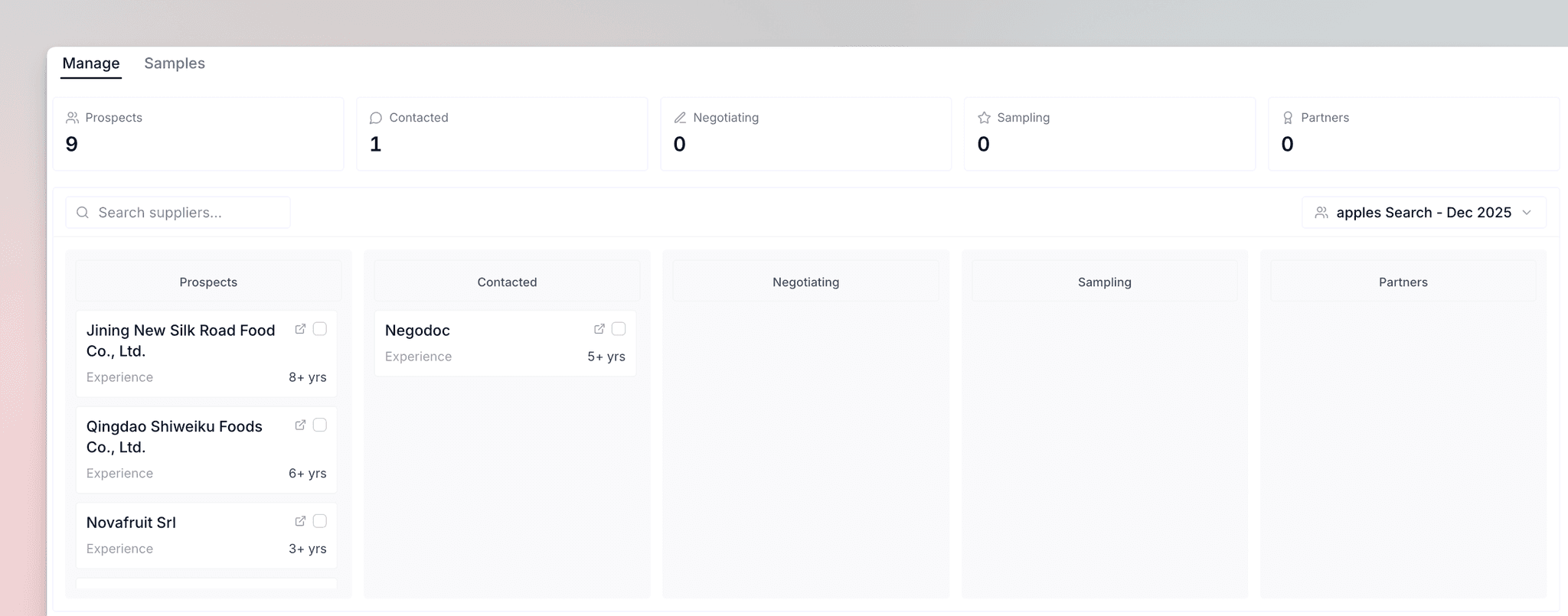
Save suppliers individually or select all results to add them to your Supplier Manager. Saved suppliers automatically appear in the Prospects stage of your kanban board, organized by search term.
Request and Evaluate Samples
Move promising suppliers to the Sampling stage, then use Sample Tracker to log sample requests, track shipments, and conduct detailed quality evaluations.
Search & Discovery
Enter a search term that describes your product, such as "yoga mat." Launch Fast gets verified manufacturer data from Alibaba.
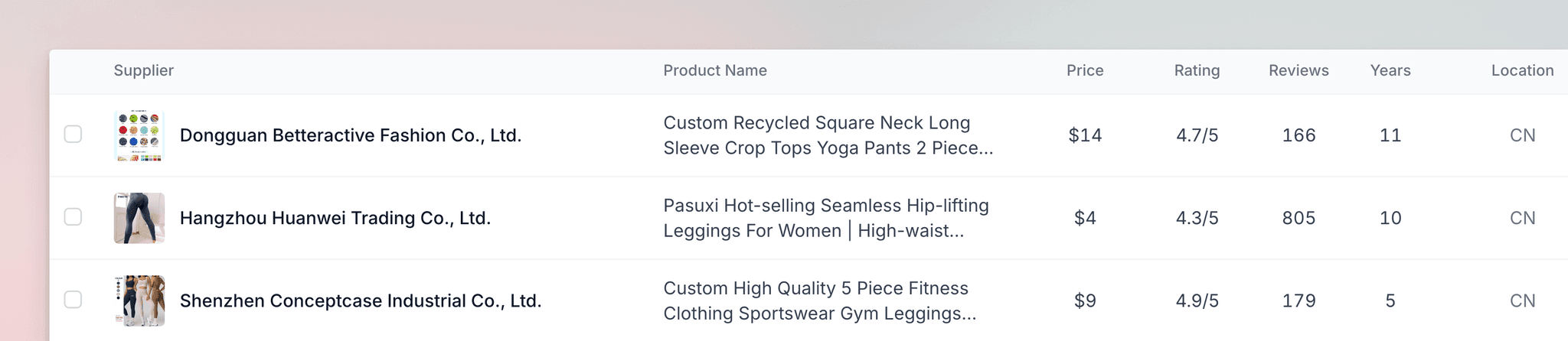
Results appear in a comprehensive table showing up to 20 suppliers. Each row includes:
- Product images and direct links to supplier pages
- Company names and price ranges
- Supplier ratings and review counts
- Years in operation and country locations
You can save all suppliers at the same time using the "Save All" button, or select individual suppliers using checkboxes. Saved suppliers move directly into your Supplier Manager for relationship tracking. You can also export search results as a CSV file for external analysis or team sharing.
Supplier Manager
Pipeline Stages
The kanban board has five stages that track supplier relationships:
- Prospects — All saved suppliers start here automatically
- Contacted — Move suppliers here after sending your first message
- Negotiating — Advance suppliers when discussing pricing and terms
- Sampling — Shift suppliers here when you requested samples
- Partners — Promote suppliers when you are ready to place orders
How It Works
Drag suppliers across the board to reflect their current status. Kanban boards are separated by search term—use the dropdown menu at the top to switch between your saved searches. Delete suppliers from the board if they are no longer under consideration.
This visual workflow keeps each supplier relationship visible and actionable, eliminating guesswork about where each supplier stands in your evaluation process.
Sample Tracker
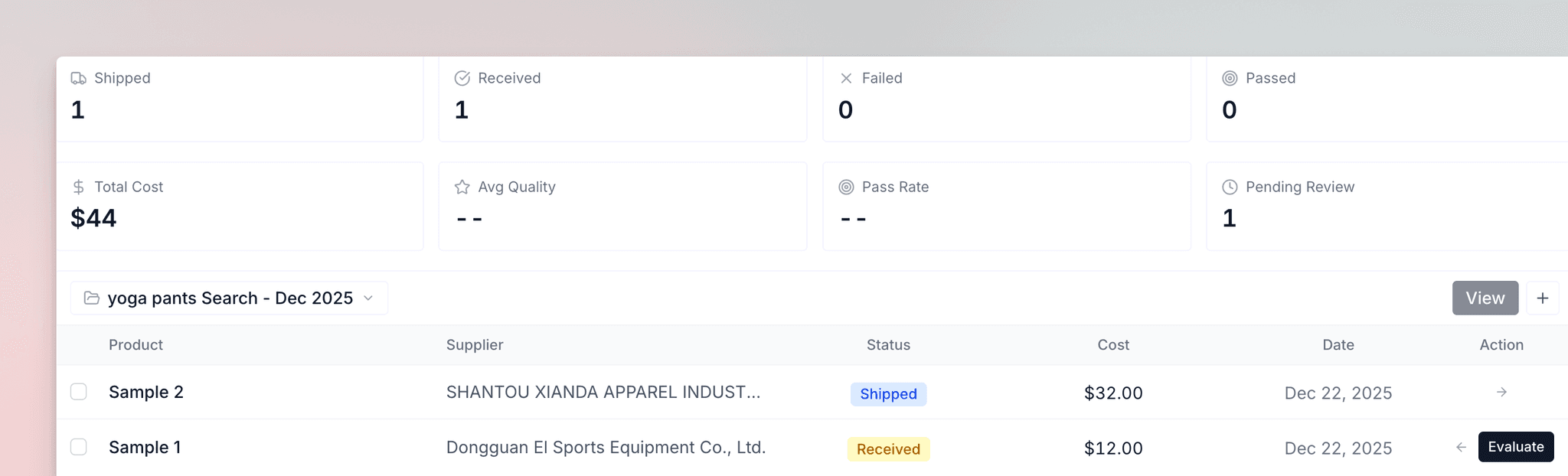
Like Supplier Manager, Sample Tracker is filtered by search term—use the dropdown menu to view samples for each product you source.
Adding Samples
Click "Add Sample" and fill in:
- Supplier (from your saved list)
- Product name
- Sample cost
- Date shipped
- Tracking number (optional)
Samples appear in the Sample Pipeline and automatically start in the Shipped stage.
Sample Stages
Samples move through three stages:
- Shipped — Initial stage when sample is sent
- Received — Move here when the sample arrives
- Passed or Failed — Final stage after evaluation
Evaluating Samples
When your sample arrives, move it to Received, then click "Evaluate" to open the quality assessment form. The form has three sections:
| Section | What You will Enter |
|---|---|
| Quality Assessment | Rate on four criteria using a 1-5 star scale: Build Quality, Packaging Quality, Design Quality, and Supplier Communication |
| Physical Specifications | Item weight, item dimensions, packaging weight, and packaging dimensions (optional) |
| Notes | a comments you want to remember |
After completing your evaluation, mark the sample as Passed or Failed based on if it meets your standards.
Key Stats
The dashboard at the top updates automatically as you add and evaluate samples:
- Total samples requested
- Samples in each stage
- Total sample costs
- Average sample quality ratings
- Breakdown of passed, failed, and pending evaluations
These metrics help you identify which suppliers consistently deliver quality and which products are worth pursuing.
Best Practices
Focus on suppliers with 4.5+ star ratings, 500+ reviews, and 5+ years in operation. These metrics indicate reliable manufacturing and consistent quality delivery.
Request samples from 2-3 top candidates before making final decisions. Comparing physical products side by side reveals quality differences that specifications alone cannot capture.
Use the notes field in Sample Tracker to record specific quality observations. Detailed notes help you compare suppliers objectively when making sourcing decisions.
Keep your kanban board current by moving suppliers through stages as relationships progress. Accurate status tracking prevents duplicate outreach and missed follow-ups.