
IP Check
Search the USPTO database for registered patents and trademarks before you commit to a product. Verify your ideas are safe to launch and will not create legal problems down the road.
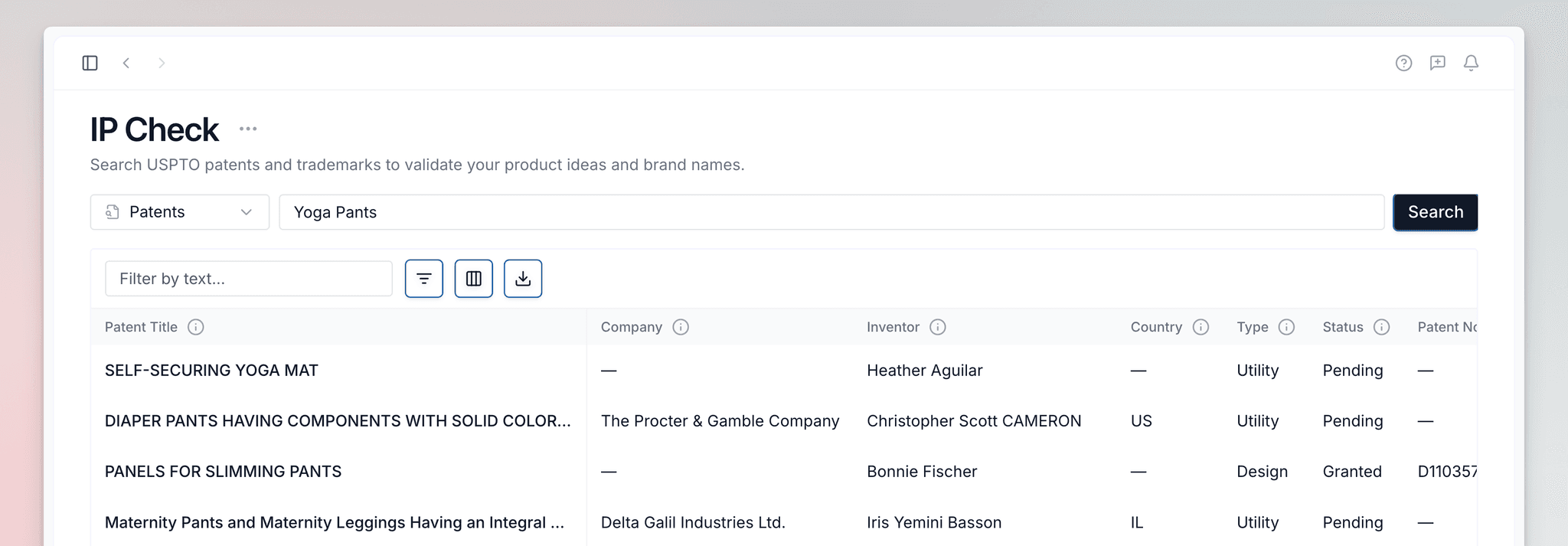
Overview
Use IP Check to:
- Search patents — Find registered patents that might cover your product's design or functionality
- Verify trademarks — Check if your proposed brand name conflicts with existing registrations
- Track potential conflicts — Save trademarks to your database for ongoing monitoring
- Export research — Download search results as CSV files for offline analysis or legal review
How to Use IP Check
Access IP Check
Click "IP Check" in the left sidebar to open the IP research tools.
Choose Your Tool
Choose the tool that matches your research goal:
- Patent Check — Search for registered patents covering your product's design or functionality
- Trademark Check — Verify your brand name does not conflict with existing trademarks
- Trademark Database — Manage and review trademarks you saved for deeper investigation
Enter Your Search
Type your search term in the search field:
- For patents, use keywords that describe your product's features (e.g., "steering wheel cover", "phone mount")
- For trademarks, enter your proposed brand name or similar names you want to check
Filter & Refine
Use the available filters to narrow your results:
- For patents: Filter by filing date, patent status, or patent type
- For trademarks: Filter by status, owner, filing date, or expiration date
Export or Save
- For patents: Export your filtered results as CSV for offline analysis
- For trademarks: Select a mark and click "Enhance" to view detailed information, then "Save" to add it to your Trademark Database for ongoing tracking
Patent Check
Patents protect how a product looks (Design Patents) or how it works (Utility Patents). Search by entering keywords that describe your product (e.g., "steering wheel cover", "phone mount", "yoga mat").
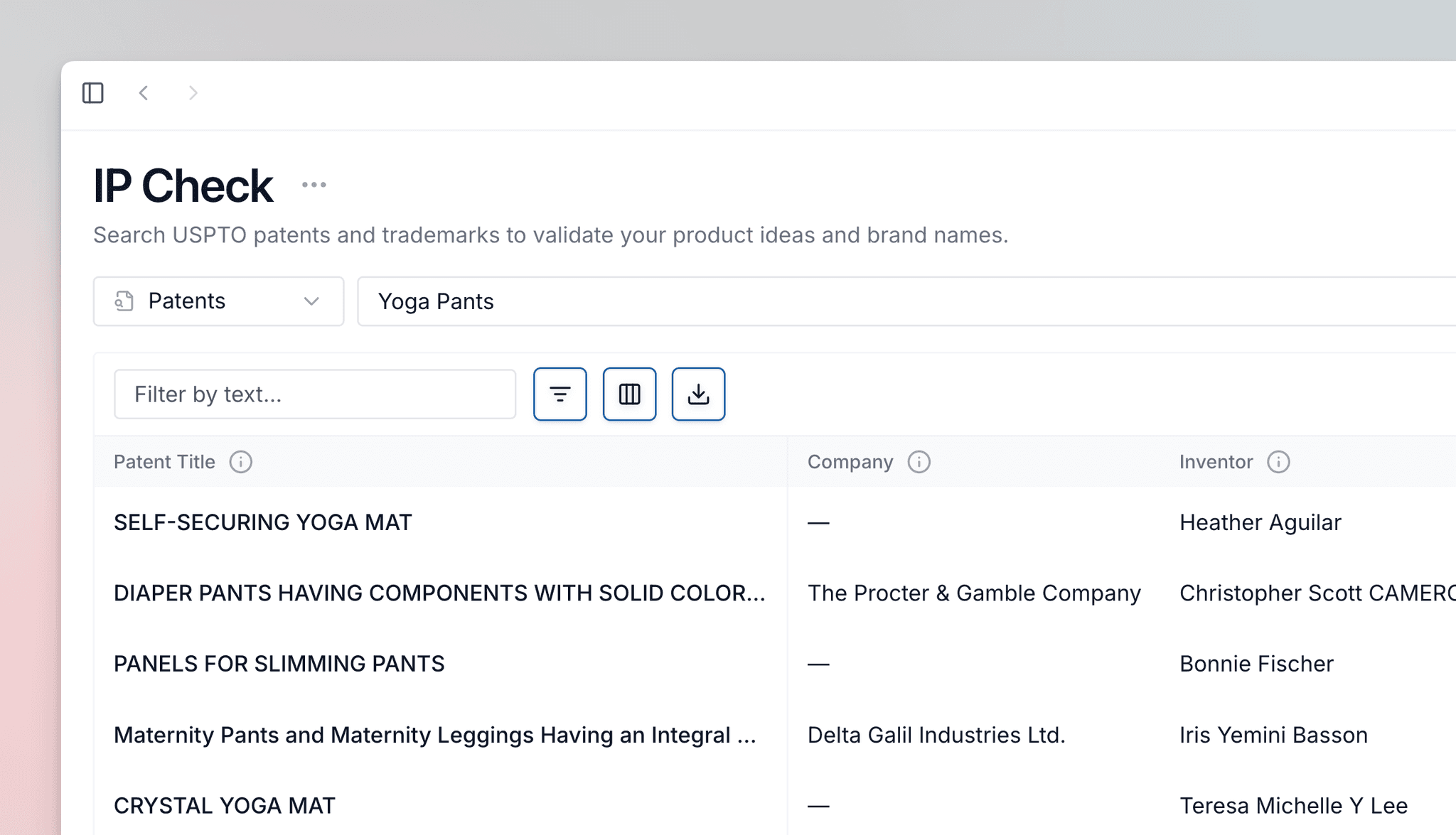
Patent Search Results
After entering your search, the results table displays comprehensive data for each patent:
| Column | What It Means |
|---|---|
| Title | The patent's official name |
| Company | The patent owner or applicant |
| Country | The jurisdiction where the patent is registered |
| Inventor | The individual(s) credited with the invention |
| Type | Design protects appearance. Utility protects functionality |
| Status | Granted = patent is active. Pending = application submitted but not yet approved |
| Patent No. | The official USPTO patent number |
| USPC | United States Patent Classification code |
| CPC | Cooperative Patent Classification code |
| GAU | Group Art Unit—the internal USPTO examining group that processed this patent |
| Filing Date | When the patent application was first filed |
| Grant Date | When the patent was officially approved |
When reviewing results, prioritize patents with matching classification codes (CPC/USPC) and similar titles. Granted patents from the last 15-20 years pose the highest risk.
Trademark Check
Trademarks protect brand names, logos, and phrases. Check for existing trademarks before finalizing your brand name or Amazon Brand Registry application.
Exact Match Check
Launch Fast automatically runs an Exact Match Check at the top of the results. It shows if your search term is available or registered. Use this result to decide if the brand name is safe to use.
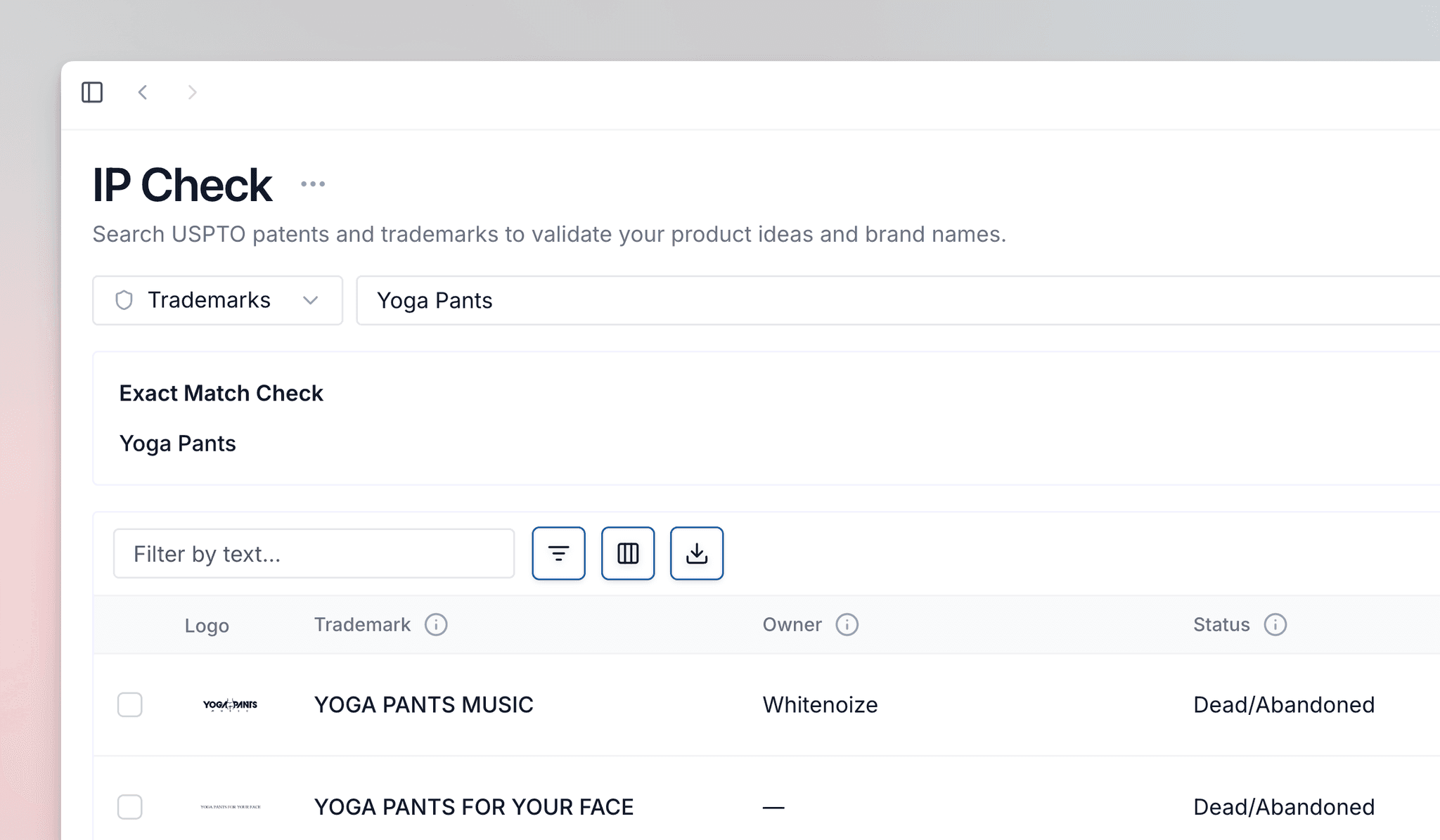
Trademark Search Results
After entering your search, the results table displays comprehensive data for each trademark:
| Column | What It Means |
|---|---|
| Trademark | The registered name or phrase |
| Owner | The trademark holder |
| Logo | Visual representation if the trademark includes design elements |
| Description | The goods and services covered by this trademark |
| Status | LIVE = active and enforceable. DEAD = abandoned |
| Registration No. | The official USPTO registration number |
| Serial No. | The USPTO serial number assigned when filed |
| Status Date | The date of the most recent status change |
| Filing Date | When the trademark application was originally filed |
| Registration Date | When the trademark was officially registered |
| Expiration Date | When the registration expires if not renewed |
Select a trademark and click "Enhance" to view extended details. From there, click "Save" to add it to your Trademark Database for tracking.
Trademark Database
All saved trademarks appear here where you can review, compare, export, or delete them as your research progresses.
Save trademarks when you must:
- Track potential conflicts — Keep marks that might conflict with your brand in one place for ongoing monitoring
- Compare similar marks — Review multiple trademarks together to assess how crowded your brand space is
- Organize legal review — Gather marks that must have attorney consultation before making final decisions
- Monitor competitors — Track trademark filings from competitors or established brands in your category
- Document research — Create a record of your trademark due diligence for business planning
Click "Export CSV" to download your saved trademarks with all details included.
Best Practices
Invented or arbitrary words are stronger than descriptive terms. Examples are "Kodak" and the use of "Apple" for computers.
Check plurals, singulars, hyphens, spacing, phonetic equivalents ("lite" vs "light"), and misspellings to catch potential conflicts you might otherwise miss.
Trademark conflicts matter most when marks cover similar Nice classes. Review goods and services descriptions carefully to see if they overlap with your product category.
Run IP checks when you are seriously considering a product and moving toward sourcing or launch. A quick trademark check early can save you from falling in love with a brand name you cannot use.
When to Get Professional Help
Consider consulting an intellectual property attorney when:
- You find a granted patent with a title and type that closely match your product
- Your proposed brand name returns an exact match or very similar trademarks in your product category
- A competing brand with a reputation for enforcement appears in your results
- You plan significant investment in inventory, tooling, or marketing
Frequently Asked Questions
Supplier Research
Find verified Alibaba suppliers, manage sourcing relationships, track samples, and export supplier research for Amazon products.
Rank Tracker
Track Amazon keyword rankings daily, monitor competitors, find ranking changes, and prioritize keywords that can improve product visibility and sales.