
Profit Calculator
Take the guesswork out of product viability. Model your unit economics using real competitor data, Amazon's fee structure, and AI-powered differentiation strategies to validate profitability before you invest.
Overview
Use Profit Calculator to:
- Benchmark against competitors by entering three reference ASINs to establish market pricing and sales velocity
- Calculate accurate margins using Amazon's official fee structure (referral fees, FBA fulfillment, storage)
- Model advertising costs with data-driven PPC estimates based on real keyword performance
- Identify differentiation opportunities using AI recommendations for features, materials, and positioning
- Save and compare projects to evaluate multiple product ideas side by side
How to Use Profit Calculator
Start a New Project
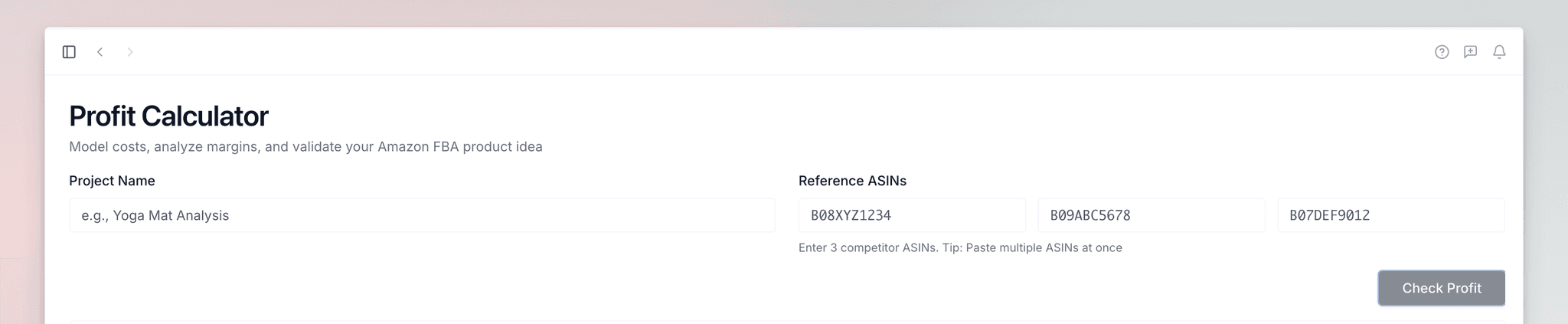
Open "Profit Calculator" from the left sidebar. Enter a project name like "Yoga Mat Analysis" and add three competitor ASINs to use as reference products.
Retrieve Data
Click "Create Project" and Launch Fast fetches current marketplace data for your reference ASINs. When complete, your profitability calculator opens automatically.
Access Saved Projects
Return to the Profit Calculator page anytime to see your Saved Projects. All your inputs, calculations, and differentiation strategies are preserved.

Competitors Tab
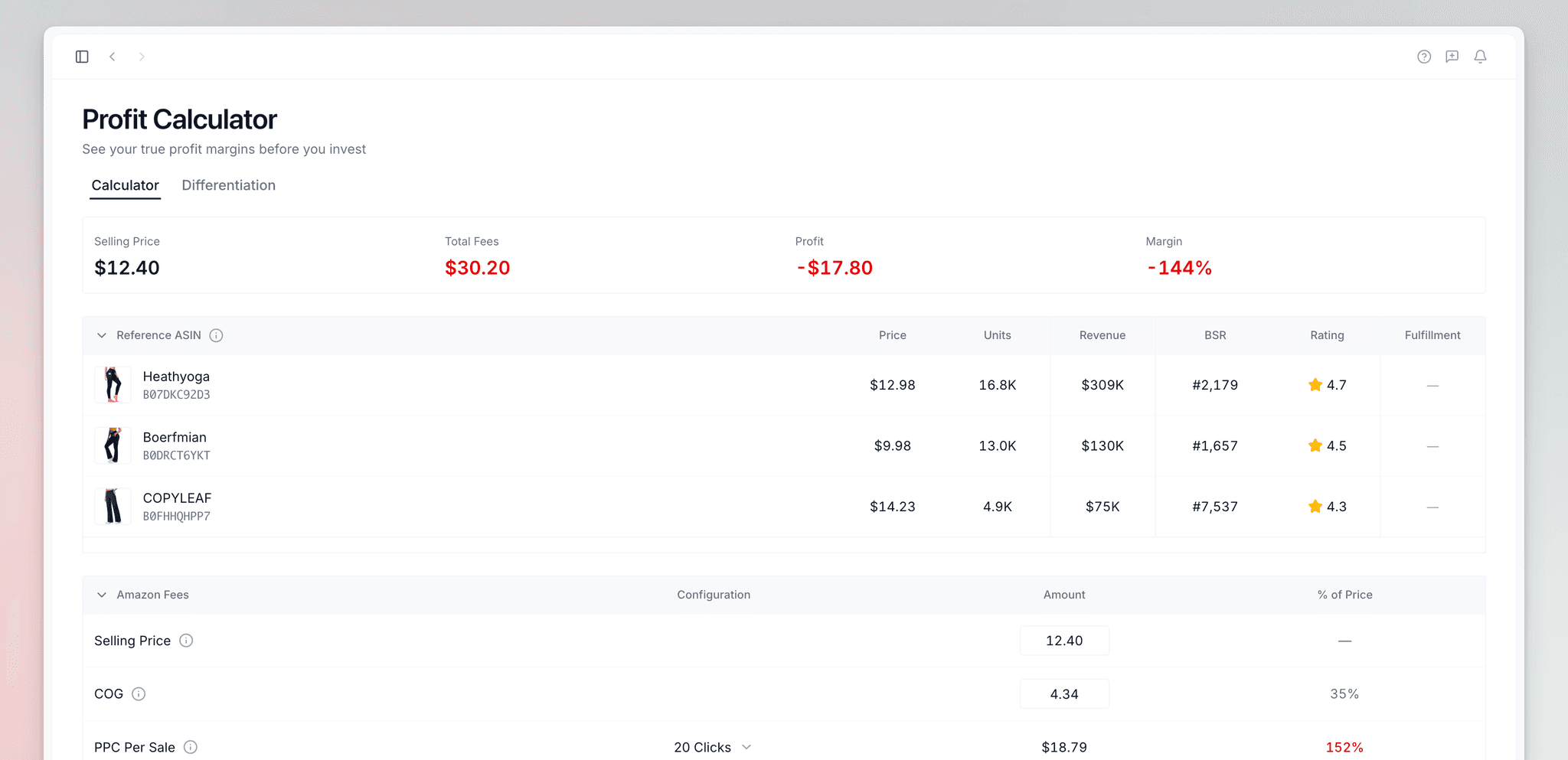
Reference ASINs Table
The Reference ASINs table displays data for the three competitor products you selected. Use these as reference points during early product development:
- Market pricing — Current competitor prices
- Sales velocity — Monthly sales volume
- Customer expectations — Review counts and product age
- Revenue potential — Monthly revenue estimates
- Market position — Best Seller Rank
- Fulfillment costs. Amazon FBA fees for similar products

Calculating Amazon Fees
The calculator below the reference table shows each cost that affects your margin. When you adjust a value, the top figures update immediately. They show Margin %, Selling Price, Total Fees, Shipping Costs, and PPC Spend.
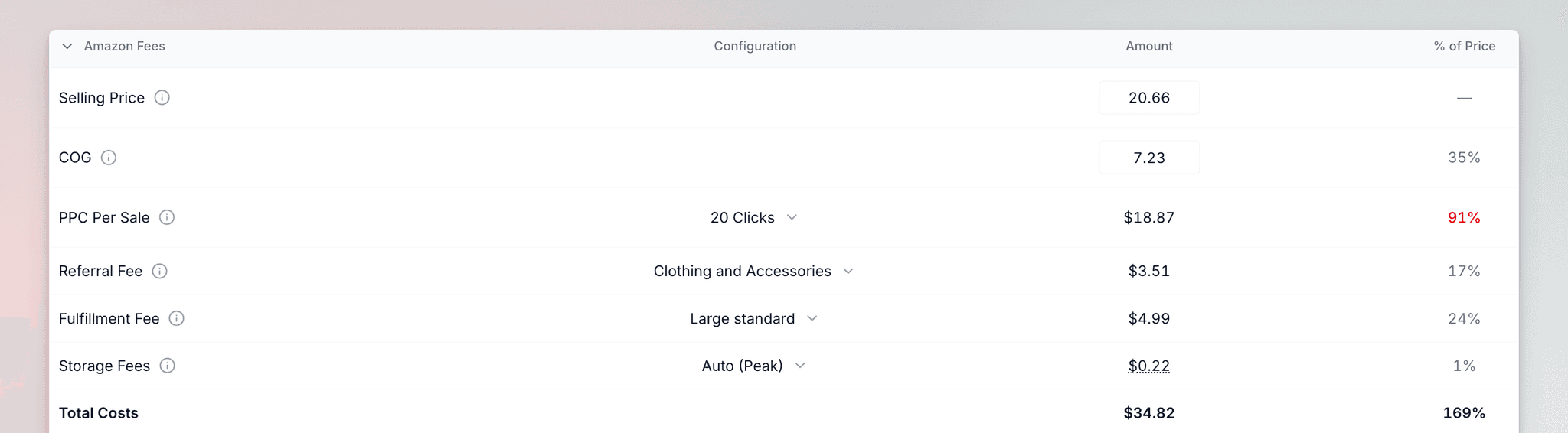
Watch the key figures at the top as you adjust values. Real-time feedback makes it easy to model different scenarios and find the optimal balance between price, margin, and competitiveness.
Calculator Sections
The calculator has seven sections that work together to determine your total cost of goods and net profit:
| Section | What It Calculates |
|---|---|
| Selling Price | The amount you will charge customers on Amazon. This drives all downstream calculations. |
| Cost of Goods | Your manufacturing and sourcing costs. Estimate at ~30% of selling price if no supplier quote. |
| PPC Cost for Each Sale | Advertising spend for each sale. Uses Average CPC ÷ Conversion Rate, or choose "10 Clicks" or custom. |
| Amazon Referral Fee | Commission Amazon charges for each sale (8-15% depending on category). |
| FBA Fulfillment Fee | Amazon's cost to store, pick, pack, and ship. Depends on dimensions and weight. |
| Amazon Storage Fees | Monthly fees based on inventory volume. Higher during peak season (Oct-Dec). |
| Shipping Information | Product dimensions and customs costs that affect fulfillment and storage fees. |
Differentiation Tab
AI Recommendations
Click "AI Recommendations" and Launch Fast analyzes your reference ASINs to identify opportunities where you can improve:
- Features — Product functionality enhancements
- Materials — Higher-quality or more sustainable materials
- Packaging — Improved presentation or protection
- Positioning — Market positioning strategies
Each recommendation includes the specific differentiator, reasoning, estimated cost increase, and potential selling price increase you could justify.
Manual Differentiation
Click the "Manual" button to create custom differentiation strategies based on your own research and expertise. This keeps all your product differentiation ideas organized inside your Profit Calculator project.

Best Practices
Select reference ASINs that match your target price point and quality tier. Benchmarking against mismatched competitors will skew your margin expectations.
Return to your project when you have actual supplier quotes and accurate dimensions. Real numbers replace estimates for accurate margin calculations.
Create separate projects for different price points, suppliers, or product variations. Comparing scenarios side by side reveals the most profitable path.
Enter product dimensions even if estimated. Zero values significantly underestimate FBA fees and storage costs, leading to inflated margin projections.