
Profit Calculator
Break down Amazon referral fees, FBA fulfillment costs, storage fees, and shipping to see net profit, margin, and total fees for each unit. The calculator auto-fills from your research data so you can model profitability without entering anything manually.
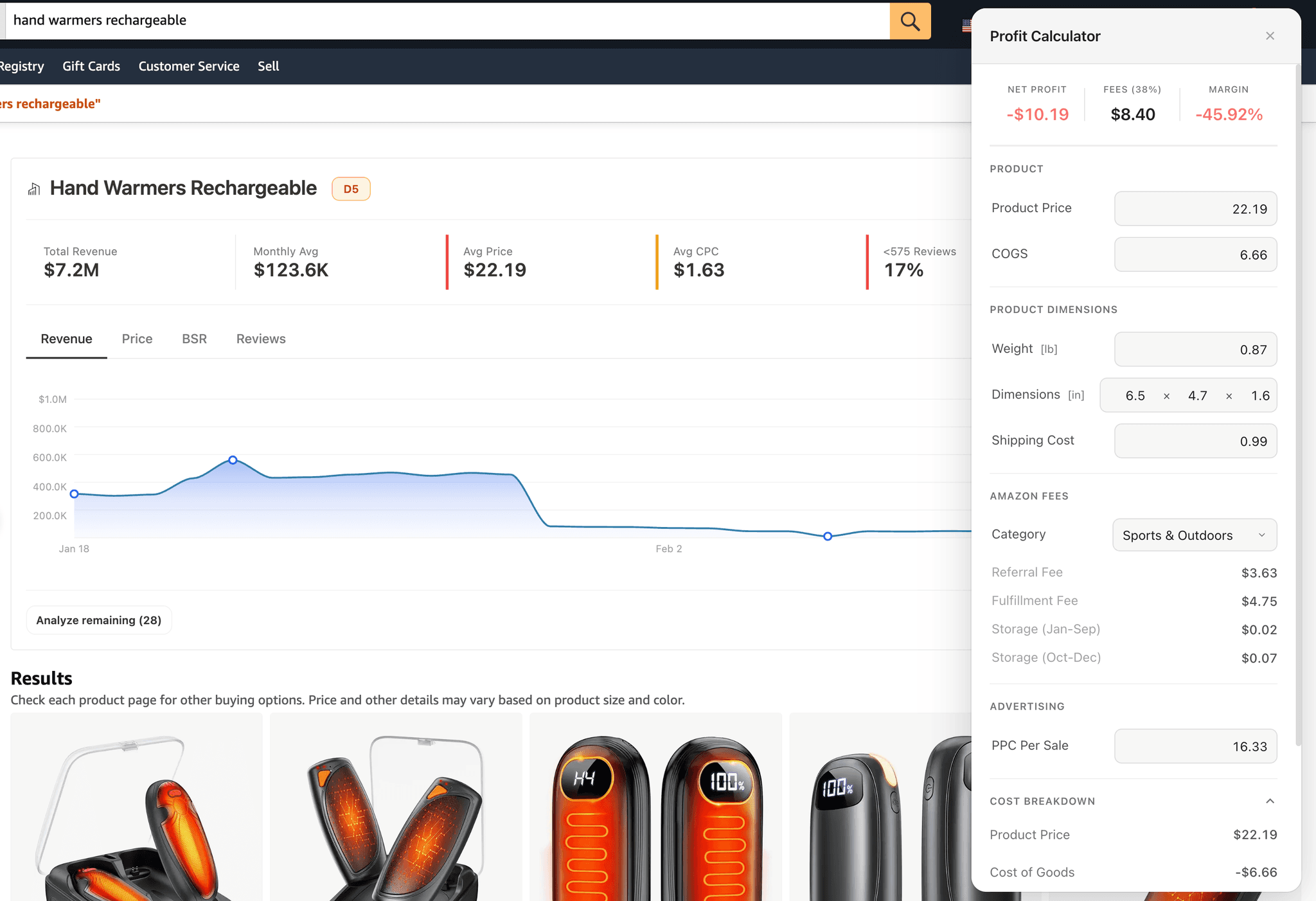
Overview
Open the calculator from a banner or the Deep Dive Dashboard. It uses your product data to calculate margin for a target COGS. Use this margin before you contact suppliers.
How It Pre-Fills
The calculator reads from whatever product data is currently loaded and computes starting values automatically. Each field is editable.
| Field | Search Results Modal | ASIN Page |
|---|---|---|
| Product Price | Average price across loaded products | Product's listed price (or variation average) |
| COGS | 30% of average price (default estimate) | 30% of product price (default estimate) |
| Weight | Average weight across products | Product's actual weight |
| Dimensions | Average L x W x H across products | Product's actual dimensions |
| Category | Most common category in loaded products | Detected from product listing |
| Shipping Cost | Auto-calculated from weight ($2.50/kg) | Auto-calculated from weight ($2.50/kg) |
| PPC Cost for Each Sale | Average CPC x 10 (estimated clicks for each conversion) | Average CPC x 10 (if PPC data available) |
The 30% default is a common starting estimate for private-label products. Replace it with your actual sourcing cost from supplier quotes for an accurate profit picture.
Summary Cards
Three cards at the top of the calculator show the bottom line. All three update instantly as you adjust an input.
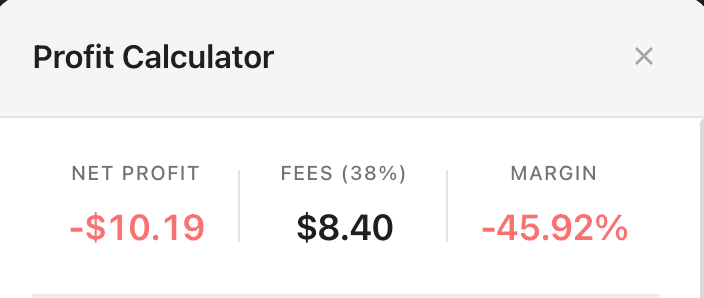
- Net Profit is revenue minus all costs. Green when positive, red when negative.
- Fees is total Amazon fees (referral + fulfillment + storage) as a dollar amount with percentage of price.
- Margin is net profit as a percentage of price. Green when positive, red when negative.
Input Fields
The calculator is organized into four sections.
Product
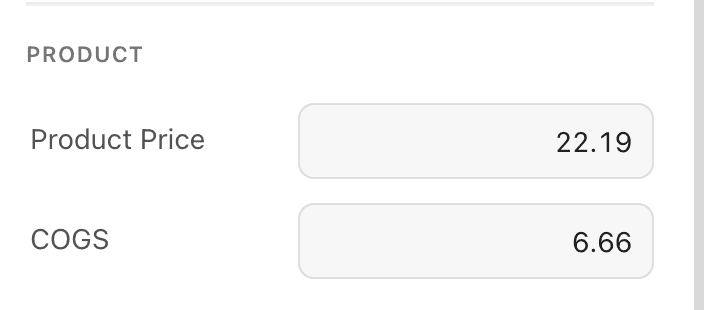
| Field | Description |
|---|---|
| Product Price | The selling price on Amazon. Pre-filled from product data. |
| COGS | Cost of goods sold, what you pay for each unit to source the product. Defaults to 30% of price. |
Product Dimensions
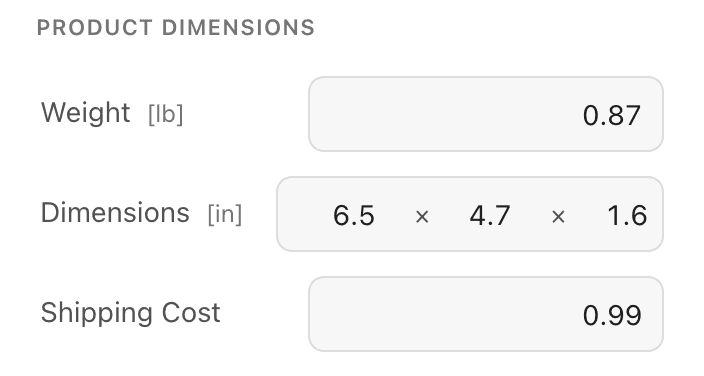
Shipping cost auto-updates when you change the weight. If you manually edit the shipping field, auto-calculation stops and your custom value is preserved even if you adjust weight afterward.
| Field | Description |
|---|---|
| Weight | Product weight in pounds. Determines FBA fulfillment fee tier and shipping cost. |
| Length / Width / Height | Product dimensions in inches. Combined with weight to determine FBA size tier. |
| Shipping Cost | Cost to ship one unit to Amazon's warehouse. Auto-calculated at $2.50/kg from weight. You can override it with your actual freight cost. |
Amazon Fees
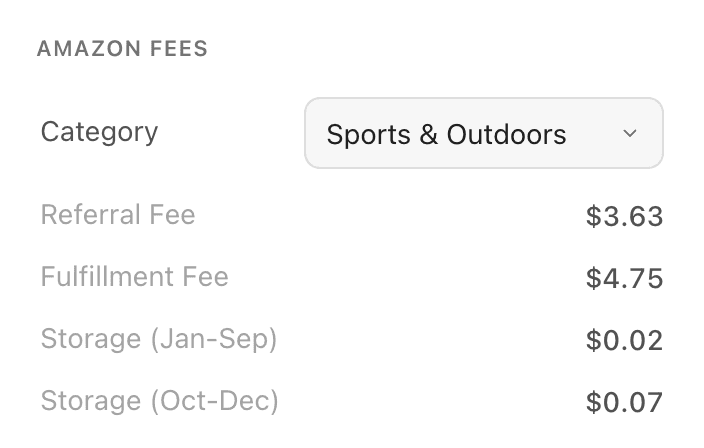
The four fee fields are read-only and update automatically when you change price, weight, dimensions, or category.
| Field | Description |
|---|---|
| Category | Amazon product category. Determines the referral fee percentage. Select from 25 categories. |
| Referral Fee | Percentage Amazon takes from each sale. Varies by category (8%-45%). Read-only, calculated from category and price. |
| Fulfillment Fee | FBA pick, pack, and ship cost for each unit. Read-only, calculated from weight and size tier. |
| Storage (Jan-Sep) | Monthly storage fee for each unit during off-peak months. Read-only. |
| Storage (Oct-Dec) | Monthly storage fee for each unit during peak holiday season. Read-only, typically 2-3x the off-peak rate. |
Advertising
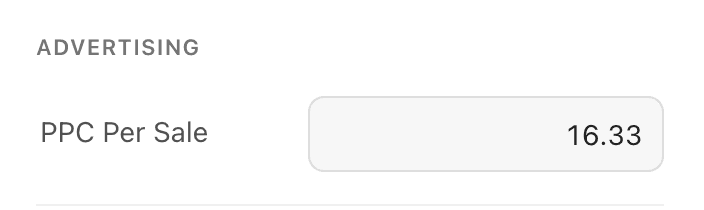
The "x 10" multiplier assumes roughly a 10% click-to-purchase conversion rate, which is a common baseline for Amazon PPC. Adjust this based on your actual conversion data.
| Field | Description |
|---|---|
| PPC Cost for Each Sale | Estimated advertising cost to generate one sale. Pre-filled from average CPC x 10 clicks if PPC data is available. |
FBA Size Tiers
Amazon's fulfillment fee depends on which size tier your product falls into. The calculator determines this automatically from weight and dimensions.
| Size Tier | Max Dimensions | Max Weight | Base Fee |
|---|---|---|---|
| Small Standard | 15" x 12" x 0.75" | 1 lb | $3.22 |
| Large Standard | 18" x 14" x 8" | 20 lb | $4.75 + $0.25/lb over 1 lb |
| Large Bulky | 59" x 33" x 33" | 50 lb | $9.73 + $0.42/lb over 2 lb |
| Extra Large | Anything larger | No limit | $26.33 + $0.83/lb over 50 lb |
Most private-label products fall in Large Standard. If your product fits Small Standard, fulfillment costs drop significantly. Consider designing packaging to stay within those limits.
Category Referral Fees
The category dropdown determines the referral fee, a percentage Amazon takes from each sale. The calculator supports 25 categories.
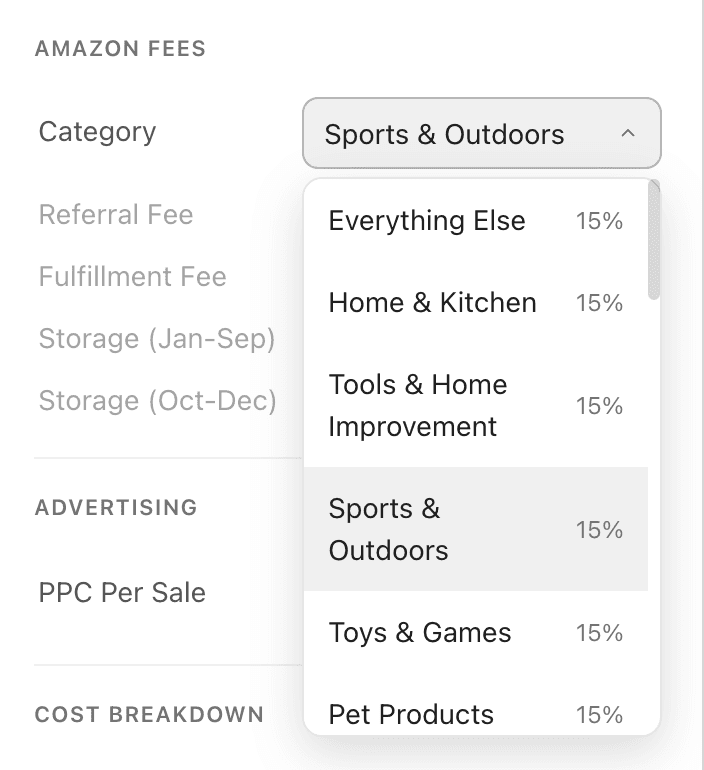
These categories charge the same percentage regardless of price:
| Category | Referral Rate |
|---|---|
| Home & Kitchen | 15% |
| Sports & Outdoors | 15% |
| Toys & Games | 15% |
| Pet Products | 15% |
| Tools & Home Improvement | 15% |
| Office Products | 15% |
| Lawn & Garden | 15% |
| Musical Instruments | 15% |
| Everything Else | 15% |
| Automotive | 12% |
| Industrial & Scientific | 12% |
| Computers | 8% |
| Consumer Electronics | 8% |
| Appliances | 8% |
| Amazon Device Accessories | 45% |
Most categories also include a minimum fee of $0.30 for each item.
These categories charge different rates depending on the sale price:
| Category | Tier 1 | Tier 2 | Tier 3 |
|---|---|---|---|
| Baby Products | ≤$10: 8% | >$10: 15% | |
| Beauty & Health | ≤$10: 8% | >$10: 15% | |
| Grocery | ≤$15: 8% | >$15: 15% | |
| Clothing | ≤$15: 5% | ≤$20: 10% | >$20: 17% |
| Jewelry | ≤$250: 20% | >$250: 5% | |
| Watches | ≤$1,500: 16% | >$1,500: 3% | |
| Furniture | ≤$200: 15% | >$200: 10% | |
| Electronics Accessories | ≤$100: 15% | >$100: 8% |
The calculator applies the correct rate based on your entered price.
Storage Fees
Amazon charges monthly storage fees based on product size and the time of year. The calculator shows both rates and uses whichever applies to the current month. Plan for the peak rate if you stock up for Q4.
| Period | Standard-Size | Oversize |
|---|---|---|
| Off-Peak (Jan-Sep) | $0.78/cubic foot | $0.56/cubic foot |
| Peak (Oct-Dec) | $2.40/cubic foot | $1.40/cubic foot |
Cost Breakdown
Below the input fields, an expandable section shows each line item in the profit calculation. If net profit is too low, the breakdown shows if Amazon fees, shipping, or COGS is the biggest lever to adjust.
Best Practices
How to get the most accurate profit estimates.
- Replace the COGS default. The 30% default is a rough estimate. When you have supplier quotes, enter your actual landed cost.
- Use actual shipping rates. The $2.50/kg auto-calculation is a baseline. Override it with your freight forwarder quote or actual prep + ship cost for each unit.
- Target 30%+ margin. After all costs, a 30% margin gives you room for price competition, PPC adjustments, and unexpected fees. Below 20% gets risky.
- Check size tier boundaries. A product at 1.1 lb pays significantly more in fulfillment than one at 0.9 lb. If you are near a boundary, consider if packaging changes could drop you to the lower tier.
Frequently Asked Questions
Common questions about the profit calculator.
Visual Research
Browse and download competitor product images and videos from Amazon listings in a filterable grid with bulk zip exports and collections.
Collections
Save and organize products, keywords, and suppliers into named groups across research sessions. Browse saved data with full metrics, charts, and tables.