
Chrome Extension v2
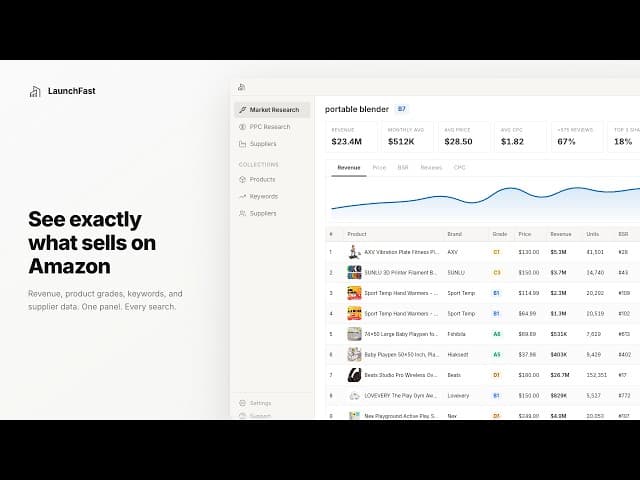
Chrome Extension v2 demo
The Launch Fast Chrome extension has been rebuilt to bring market and product research into Amazon search results and product pages. You can review demand, compare competitors, research keywords, and estimate costs without switching between separate tools for each step.
Read the market from Amazon results
A market banner shows six summary metrics and a grade for the keyword you searched. Inline product cards show monthly revenue, units, Best Sellers Rank (BSR), and a product grade.
Market grades consider average price, cost per click, review barriers, and revenue. Product grades consider revenue, price, reviews, and BSR. The letter from A to F describes opportunity strength, alongside a number from 1 to 10 calculated by Launch Fast.
Open the dashboard for a sortable product table and charts for revenue, price, BSR, and reviews. You can change the date range or compare up to 3 products side by side.
Filters cover revenue, price, reviews, rating, BSR, units, and listing age. Quick toggles let you hide sponsored listings or focus on new sellers. On product pages, the extension shows selected-ASIN metrics and a breakdown of variations, including revenue, units, and prices.
Compare keywords across competitors
PPC Research supports up to 15 ASINs in a keyword ranking matrix. Review search volume, cost per click, bid ranges, and each product's ranking to identify gaps in keyword coverage.
The product comparison strip also includes a niche median, giving you a reference point when reviewing competitors.
Review suppliers and listing visuals
Supplier Research finds Alibaba matches filtered to Gold Suppliers with Trade Assurance. Compare pricing tiers, minimum order quantities, years in business, and certifications in a sortable table, then save suppliers to a collection.
Visual Research gathers product images and videos into a gallery. Filter by top sellers, new entrants, or videos, and open full-size images alongside revenue, price, and rating data. Bulk downloads organize the files by ASIN.
Estimate costs from your research
The profit calculator fills in price, weight, dimensions, category, and cost per click from research data. It covers referral fees, FBA fulfillment, peak and off-peak storage, shipping, and advertising costs.
Estimates update as you change an input. Open the calculator from the research banner or dashboard toolbar to review the assumptions for a product.
Save and export your findings
Collections store products, keywords, and suppliers in named groups, keeping their metrics, charts, and tables together. Collections sync across devices, and a refresh retrieves updated data with indicators for older results.
You can also export the current table to Excel with its filters and sorting, capture the dashboard as a screenshot, or download photos from visible product rows.
The extension supports 12 Amazon marketplaces with automatic detection and includes dark mode. See the Chrome extension guide for setup and feature instructions.