
Amazon data, iPhone, and Launchie
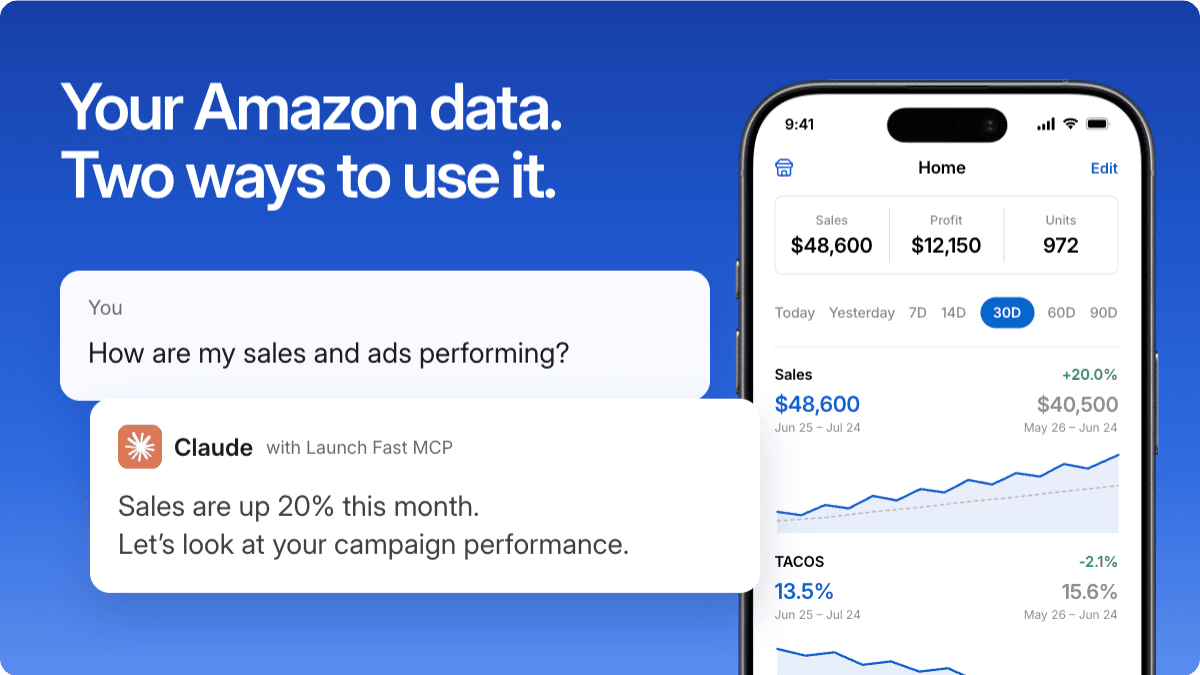
Launch Fast is now an official Amazon Solutions Provider. Amazon Seller account connections are open to all paid subscribers, expanding access beyond the earlier limited rollout.
Connect your account to review sales alongside advertising in Claude or Codex, or use the new Launch Fast iPhone beta with Launchie built in.
Your Amazon business, on iPhone
The Launch Fast iPhone app is now available in TestFlight. Check sales, review advertising, follow keyword rankings, and see your Amazon payments from one place.
Open individual campaigns to examine their performance, follow a keyword’s ranking history, or check your current Amazon payment period. Home Screen widgets give you a quick view of your performance between app visits.
The app also supports iPad.
Explore the iPhone app and join the beta
Meet Launchie, your built-in agent
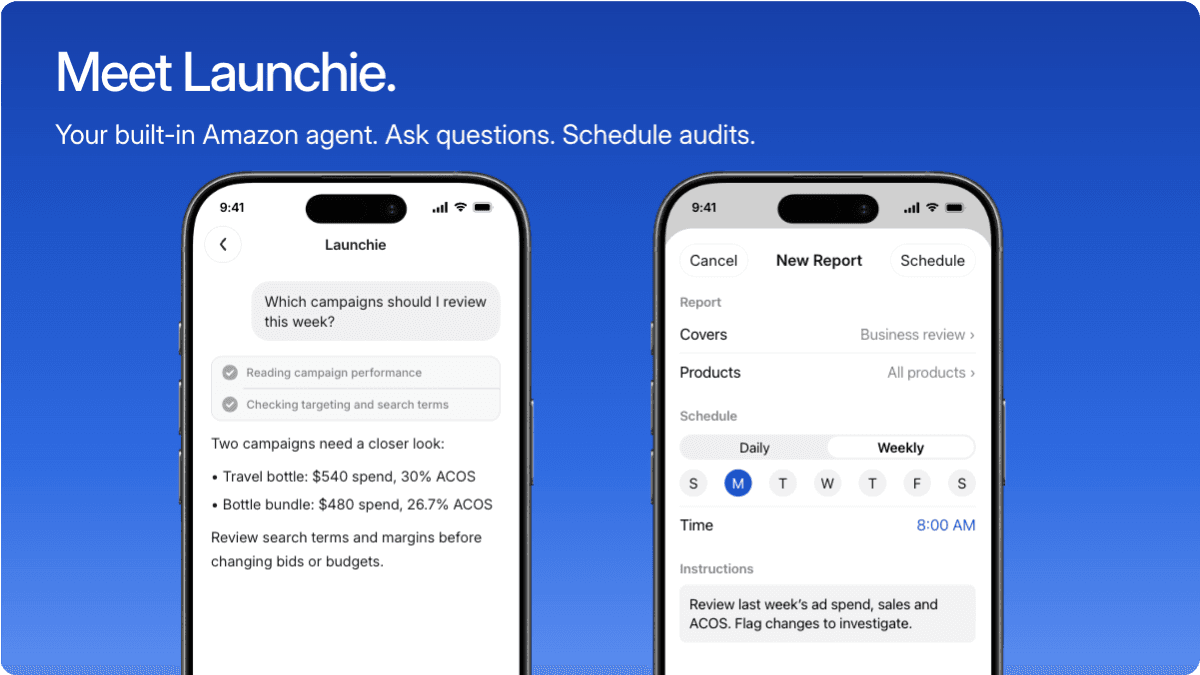
Launchie uses your connected account data to help you investigate changes and decide what needs attention. Ask why sales changed, which campaigns deserve a closer look, or how this week compares with the previous one.
You can also schedule daily or weekly ads audits. Choose when a review runs and give Launchie instructions about what to examine, so you don’t have to start every review yourself.
Launchie provides analysis and recommendations. It doesn’t automatically change campaign bids, pause campaigns, or manage budgets.
See how Launchie and scheduled audits work
Sales and ads in Claude or Codex
If you already use Launch Fast’s advertising connection, you can now add your Seller account to bring sales data into the same conversation.
Compare sales trends with advertising spend, identify products contributing to a change, and ask follow-up questions using Launch Fast MCP. Seller and advertising reporting through this connection is read-only.
Our guide covers connecting Amazon, adding Launch Fast to Claude or Codex, and running your first review.
Protect your Amazon data with MFA
Multi-factor authentication (MFA) uses a six-digit code from your authenticator to protect access to your connected Amazon Seller and Ads data. Set it up in the Launch Fast iPhone app or in Settings → Authentication on the web.
If you already set up an authenticator for your Launch Fast account, use the same entry on both devices. You do not need to set it up again.
Set up two-step verification on iPhone or the web
Get started
These features are available to paid subscribers. Free and trial users need to upgrade before connecting Amazon and accessing the MCP or iPhone app.
Complete MFA setup, then open Settings → Amazon to connect your Seller account. Connect Amazon Ads separately for advertising reports and audits. Allow roughly an hour for the initial sync; timing can vary.
Connect your Amazon account · Upgrade your plan
The iPhone app is in beta. Help improve it before the final release by reporting issues through Settings → Report a bug in the app.