
The rebuilt Chrome extension
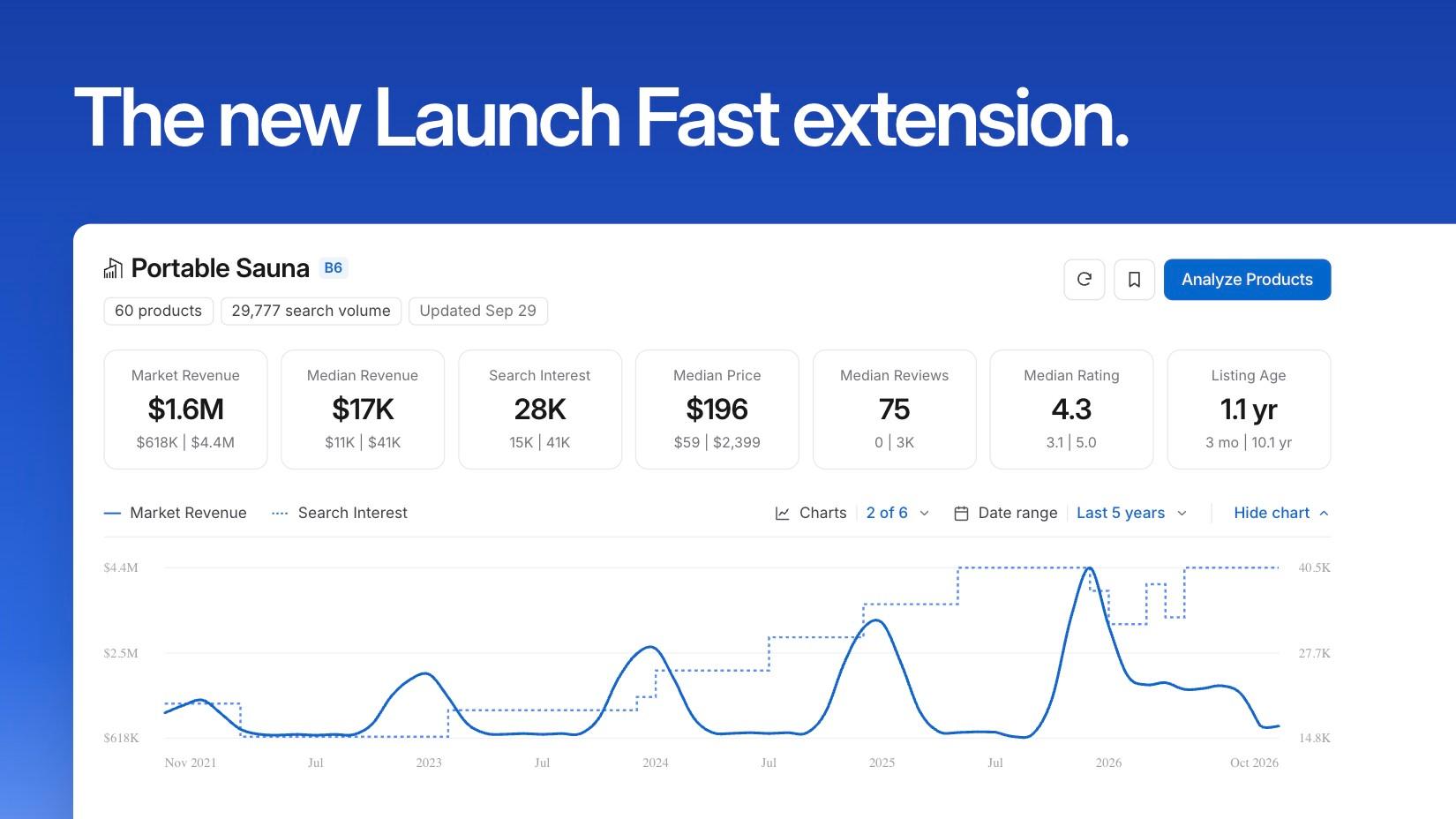
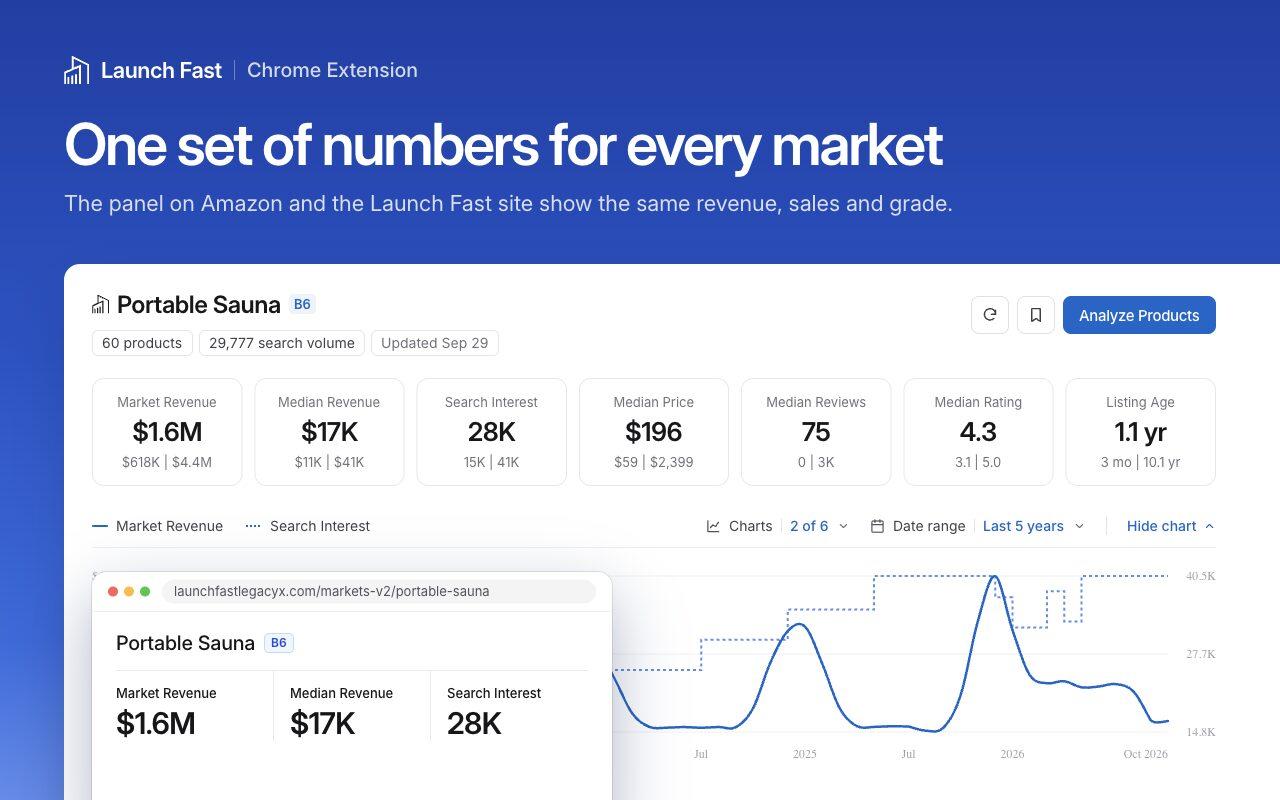
The Launch Fast Chrome extension is rebuilt on the same data as the Launch Fast web app. Each market now has one set of numbers. The panel you see on Amazon matches the market on the site.
The extension also adds product cards on Best Sellers lists, a full market view with variations, keywords and suppliers, and charts that go back up to 5 years. You can do all of it without leaving Amazon.
See the market above your search results
Search on Amazon.com and the market panel appears above the results. It shows the market's revenue, grade, search interest, median price, reviews, rating, and listing age.
Open the charts to see up to 5 years of monthly history. Use them to tell a growing market from a fading one.
Product cards on search results and Best Sellers
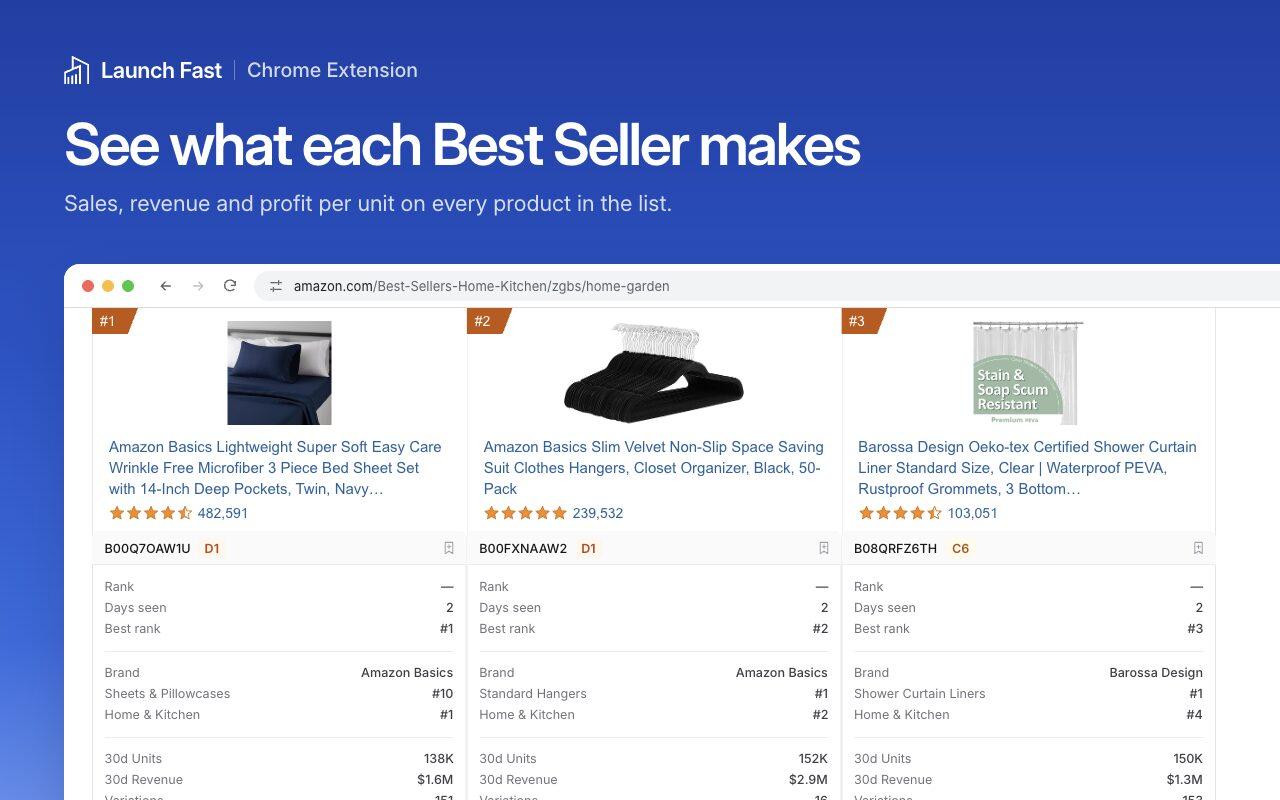
Each search result gets a product card with its units, revenue, fees, and grade. Every product on an Amazon Best Sellers list gets the same card.
Open the full market with Analyze Products
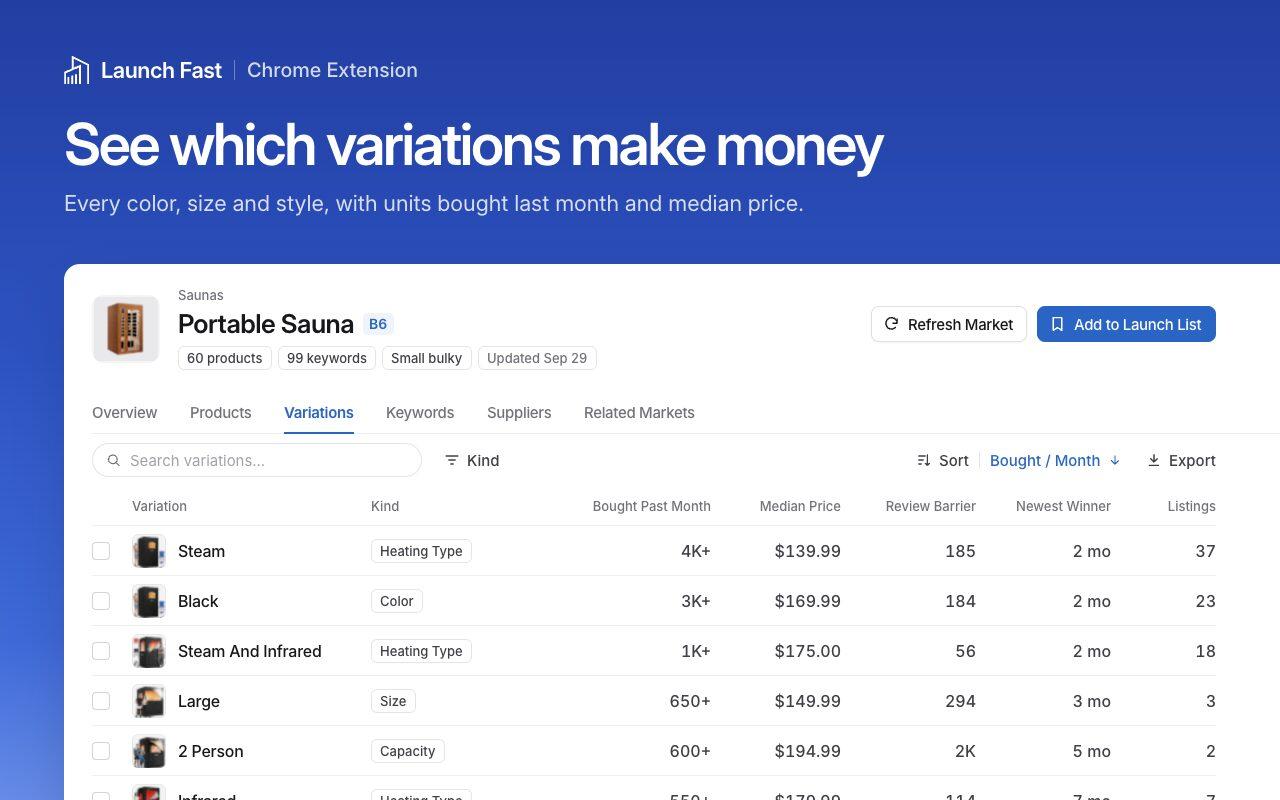
Press Analyze Products on the market panel to open the full market on the Amazon page. It has a Products, Variations, Keywords, and Suppliers tab.
Products lists every product's sales, revenue, price, BSR, and grade in one sortable table.
Variations lists every color, size, and style in the market. Each variation shows the units bought last month and its median price.
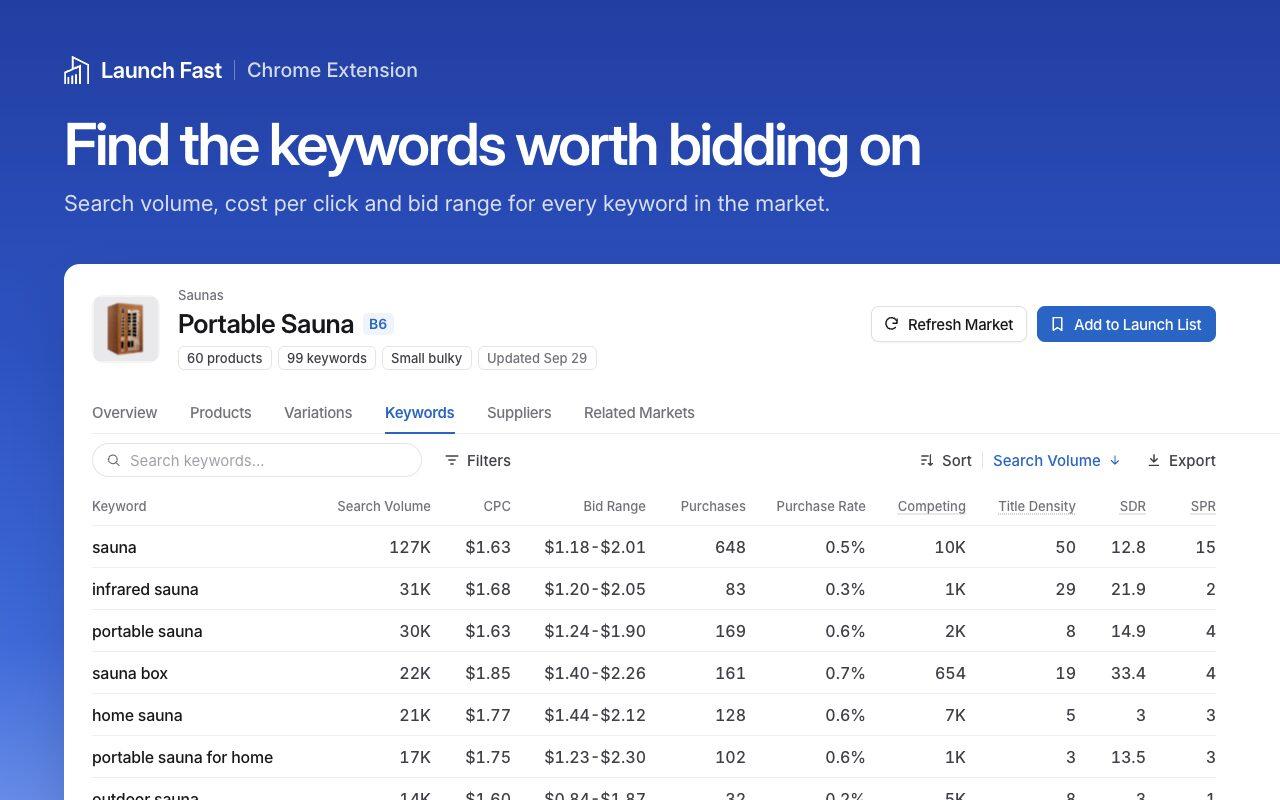
Keywords shows the search volume, cost per click, and suggested bid range for each keyword in the market.
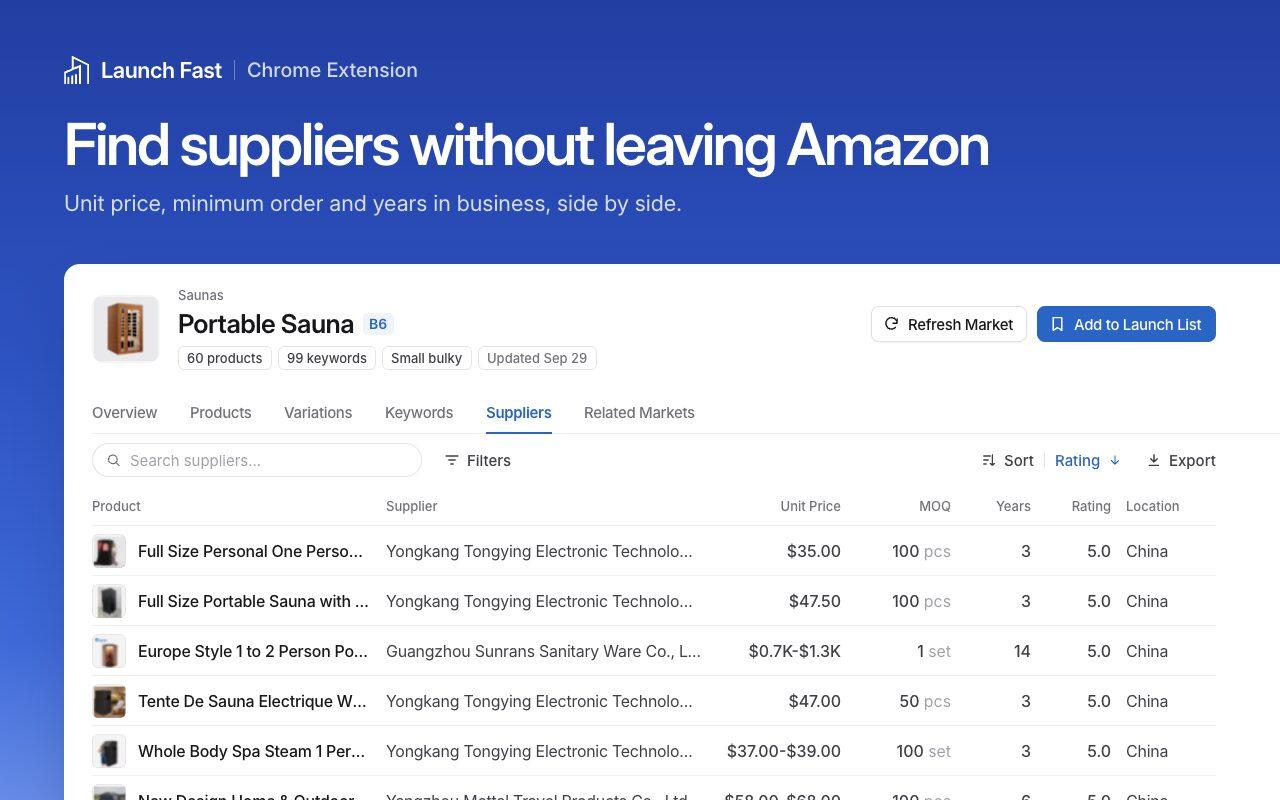
Suppliers lists suppliers for the market with unit price, minimum order, years in business, rating, and location.
Check any product page
Open a product page and the panel shows the product's monthly revenue, units sold, BSR, and profit per unit.
Save markets and products to your Launch List
Press the bookmark on the market panel or on a product card to save that market or product to your Launch List.
How credits work
A market that Launch Fast already has opens for free.
Research, Refresh Market, and Refresh Product use 1 credit each. A credit is used only when you press one of them.
On a free plan, such as the 3-use trial or LegacyX Free, you unlock markets instead. A market you unlock on the Launch Fast site also opens on Amazon.
If you already have the extension
Chrome updates the extension on its own.
On your next Amazon search, the extension asks once for permission to read the pages you open. After you allow it, it shows what changed.
Privacy
The extension asks before it reads any page. Once you allow it, it sends your search or Best Sellers list, and the ASINs, titles, and order of the products on each page you open. It never reads other websites, Amazon pages you don't open, your Amazon account, or your orders.
Get started
Every Launch Fast plan includes the extension. Market research covers Amazon.com (US).
- Add Launch Fast to Chrome.
- Sign in to your Launch Fast account.
- Search on Amazon.com. The market panel appears above the results.